
news / 22nd Jan 2026
news / 31st Mar 2022
How to Change Your Company Name in Sage People HRIS
Consideration for a name change in Sage People
So, you’ve recently undertaken a rebranding, been merged with or acquired by another company? Your Sage People Org might be looking a little out of date as a result. Here are the key areas to consider changing in order to keep your system on brand.
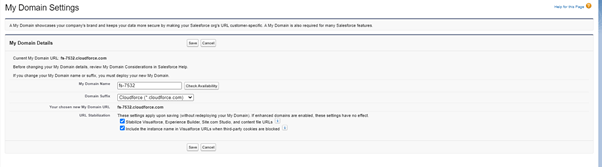
Domain
Your domain will appear in URLs. These URLs will include WX, the HR Portal, Careers Pages and forms such as the onboarding form. Your domain can be changed by heading to the setup quick find menu and searching for “My Domain”. Next, click “edit” on your existing domain and follow the instructions on the screen.
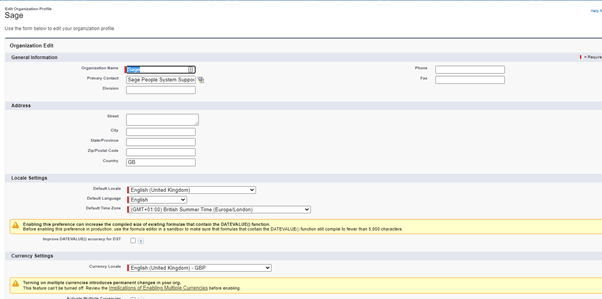
Company Information
A nice and quick one to change. Your Salesforce org that houses Sage People will have your company information stored. Simply head over to the setup menu, and do a quick find search for “company Information”.
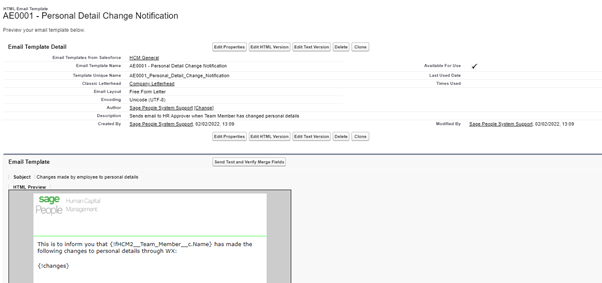
Email Templates
Your email templates will likely reference your company name, “welcome to XYZ Company” on a new joiner’s onboarding email and so forth. Head over to “Classic Email Templates” in the Setup Menu. Remember that you might need to update the text and HTML email templates.
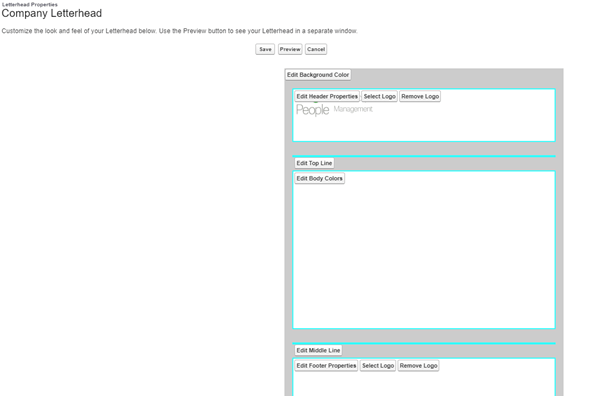
Letterhead
You might have changed the wording, but there’s a good chance the letterhead on your emails still has your old logo. So head on over to “Classic Letterheads” to update these. Don’t forget there are coloured lines to separate the header, body and footer that you can also change.
WX Branding
With WX branding there are a host of items to consider. Firstly the branding colour and WX portal name. These might be set on a policy by policy basis or if globally applied, can be found in the HCM installed package under setup / quick find / installed packages.
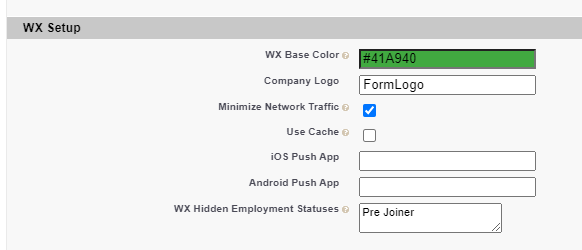
Your company logo image will need to be updated. This can be found in an area called Static Resources, available in the quick find menu.
Any imagery might be found in internal communications tiles and will need to be replaced accordingly.
Alternatively, you might have images and help text embedded into HR Noticeboards.
HR Portal Branding
The HR Portal Branding can be tweaked using the Themes and Branding tool in the setup area. If you’re using Lightning, you’ll likely already have a theme for your organisation, so just edit that one. If you’re not using Lightning, it’s still possible to tweak, but I’d strongly recommend you use this as an opportunity to take the leap and adopt Lightning!
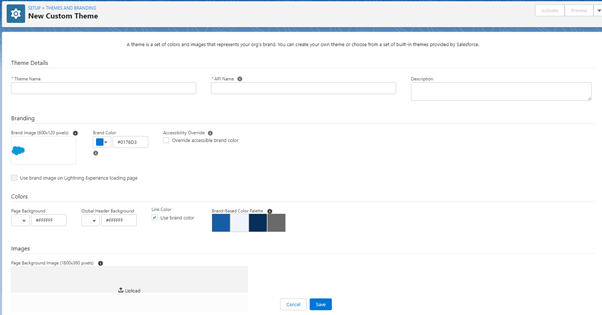
Careers Page Branding
Your careers page could be very heavily branded, depending on how you’ve set it up. Some customers have an API feed allowing information to be picked up and displayed in their own portal. Others use the standard Sage People portals. Regardless of how this is set up, there’s likely imagery and wording used that will need tweaking. In particular, check out Recruit Noticeboards and think about the wording of your privacy notice.
PDFs
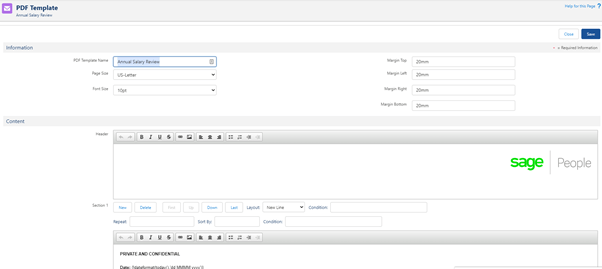
If you have any PDF templates in the system for processes like salary changes and bonus confirmations. You’ll likely have these letterheaded, and there’ll be loads of references to your company name.
Forms
Do you use an onboarding form or an exit interview form, or any others? If you head over to HCM Form Definitions through the app launcher menu, you’ll be able to review these for any reference to your old company name. You might also need to brand these again. HCM Forms use CSS files for branding.
Help is at hand
If you require further information regarding the information provided in this article or support in implementing any changes to your Sage People System, please contact us directly on tel +44(0)1908 030360 or email: info@tugelapeople.com. Alternatively, complete the ‘Get in touch’ form and a member of our team will contact you directly.
case study
Vitrolife & Tugela People: Simplifying Complexity
View case studycase study
Optimising Commission Management in Sage People
View case studynews / 29th Jul 2025
From Road Trips to APIs: Sage People Payroll
View newscase study
Culture Amp & Sage People: HR Automation Insights
View case studycase study
Aventum’s Journey to a Modern HRIS Solution
View case studynews / 14th Nov 2024
Sage People 24.2: Enhancing Employee & Manager Experience
View newsnews / 6th Aug 2024
Sage People Y24.2: Key Updates and Impacts
View news
Make an enquiry
Let’s talk
Your people. Your potential
Our international team of expert consultants has over 50 years of collective experience and multi-system HR knowledge.
Get in touch to find out how we can help your organisation thrive.
01908 030360
info@tugelapeople.com
C/O Impact HR, Goldline Building Lamport Close, Kettering Venture Park, Kettering, England, NN15 6XY
Milton Keynes Office: 314 Midsummer Court, Midsummer Boulevard, Milton Keynes, MK9 2UB